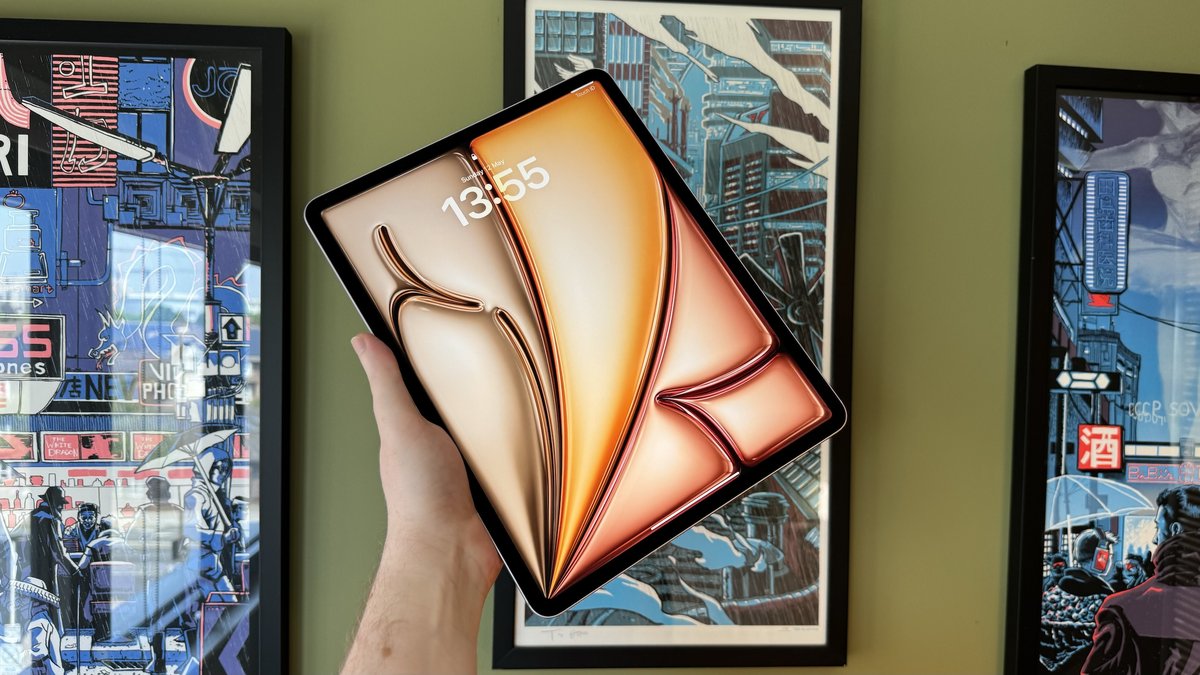
The iPad 10th generation is a fantastic tablet, offering a vibrant display and solid performance for its price point. But when it comes to adding a crucial accessory like the Apple Pencil, many users hit a wall of confusion. Which Apple Pencil works with the iPad 10th Gen? Is it the new one, the old one, or something in between? Understanding Apple Pencil Compatibility & Choice for iPad 10th Gen isn't as straightforward as you might hope, but don't worry, we're here to cut through the jargon and get you sketching, writing, or navigating with precision.
You see, Apple has introduced several versions of its signature stylus over the years, each designed with different features, charging methods, and, crucially, specific iPad compatibility. For your iPad 10th Gen, this means a particular set of rules applies, impacting both your purchase decision and daily workflow.
At a Glance: Your iPad 10th Gen Apple Pencil Options
Before we dive deep, here's the quick rundown for your iPad 10th Generation:
- You CAN use:
- Apple Pencil (1st Generation): Requires a separate USB-C to Apple Pencil Adapter for pairing and charging.
- Apple Pencil (USB-C): Plugs directly into your iPad's USB-C port for pairing and charging.
- You CANNOT use:
- Apple Pencil (2nd Generation): Not supported due to lack of magnetic charging and pairing on the iPad 10th Gen.
- Apple Pencil Pro: Not supported; it's exclusive to the very latest iPad Pro and Air models.
- Key takeaway: Your choice boils down to the Apple Pencil (1st Gen) with an adapter or the Apple Pencil (USB-C). Each has its own pros and cons, especially regarding features like pressure sensitivity.
Why Apple Pencil Compatibility Isn't One-Size-Fits-All
Apple Pencil compatibility isn't simply about whether the connector fits. It's about a combination of hardware features within the iPad itself, like the display's digitizer, internal magnets for charging and pairing, and even the type of port available. This is why a "newer" Apple Pencil isn't automatically better or compatible with "any" newer iPad. Each Pencil model is engineered to work seamlessly with specific iPad generations, leveraging their unique capabilities.
This nuanced approach means that a fantastic feature on one Pencil might be completely absent or non-functional on an incompatible iPad. For the iPad 10th Generation, this becomes particularly relevant, as it sits in a unique spot in Apple's lineup, requiring specific considerations.
The iPad 10th Gen: A Unique Apple Pencil Story
The iPad 10th Gen represents a significant design refresh for Apple's entry-level tablet, moving to an all-screen design and adopting USB-C. However, it also came with a compatibility curveball for the Apple Pencil. Unlike its predecessors, which used Lightning, and its more premium siblings, which adopted magnetic charging, the 10th Gen requires a specific solution for its original stylus. Thankfully, a newer, more straightforward option has emerged.
Let's break down your two viable choices for an Apple Pencil for iPad 10th Gen.
Option 1: The Original Workhorse – Apple Pencil (1st Generation) with an Adapter
The Apple Pencil (1st Generation) was the pioneering digital stylus from Apple, bringing precision and responsiveness to the iPad. It supports pressure and tilt sensitivity, making it excellent for drawing, shading, and varied line weights.
- Key Features: Pressure sensitivity for varied line thickness, tilt sensitivity for shading.
- Charging & Pairing: This is where it gets tricky for the iPad 10th Gen. The 1st Gen Pencil was designed to charge by plugging directly into an iPad's Lightning port. Since the iPad 10th Gen has a USB-C port, you must use a separate USB-C to Apple Pencil Adapter for both pairing and charging. You'll plug one end into the Pencil and the other into your iPad.
- Ideal for: Artists, illustrators, or anyone who values pressure sensitivity for expressive creative work on a budget. It's also a good choice if you already own a 1st Gen Pencil from an older iPad.
- Considerations: The adapter is an extra purchase (though some newer 1st Gen Pencil boxes include it; always check). It's also an extra dongle to keep track of, and the charging method isn't the most elegant.
Option 2: The Modern & Practical Pick – Apple Pencil (USB-C)
Apple introduced the Apple Pencil (USB-C) to offer a more budget-friendly and universally compatible option for its USB-C equipped iPads. It's designed for straightforward use, making it an excellent choice for general productivity.
- Key Features: Hover (on compatible iPads, including the 10th Gen), tilt sensitivity, USB-C charging.
- Crucial Limitation: NO pressure sensitivity. This is the biggest difference from the 1st Gen Pencil.
- Charging & Pairing: Simple and direct. It features a retractable USB-C port that plugs directly into your iPad 10th Gen's USB-C port for both pairing and charging. You can also magnetically attach it to the side of your iPad for storage, though this doesn't charge it on the 10th Gen.
- Ideal for: Students taking notes, marking up documents, light sketching, navigation, or anyone who doesn't need variable line thickness in their digital work. Its simpler charging is a definite plus.
- Considerations: If drawing or painting is a primary use case, the lack of pressure sensitivity might be a dealbreaker.
Side-by-Side: Apple Pencil (1st Gen) vs. Apple Pencil (USB-C) for Your iPad 10th Gen
To help you decide, let's put these two compatible options head-to-head specifically for the iPad 10th Generation:
| Feature | Apple Pencil (1st Gen) | Apple Pencil (USB-C) |
|---|---|---|
| Pressure Sensitivity | YES (Crucial for artists) | NO (Consistent line thickness) |
| Tilt Sensitivity | YES (For shading and varied strokes) | YES (For shading and varied strokes) |
| Hover (on iPad 10th) | NO | YES (See where your tip will land before touching) |
| Charging | Via USB-C to Apple Pencil Adapter | Direct via USB-C port |
| Pairing | Via USB-C to Apple Pencil Adapter | Direct via USB-C port |
| Magnetic Attachment | No | Yes (for storage, but not charging on iPad 10th Gen) |
| Price | Generally similar to USB-C model (plus adapter cost) | More affordable option |
| Ideal User | Artists, serious sketchers, those needing expressive lines | Note-takers, annotators, general navigation, budget-conscious |
| As you can see, the presence or absence of pressure sensitivity is the most significant differentiating factor between these two Pencils when used with the iPad 10th Gen. For more specific insights into how these features play out on your device, you might want to check out our detailed iPad 10th Gen Apple Pencil guide. |
Why the Apple Pencil (2nd Gen) and Apple Pencil Pro Don't Play Nice with the iPad 10th Gen
It's natural to wonder if a newer, more feature-rich Apple Pencil would work with your relatively new iPad 10th Gen. Unfortunately, the answer is a definitive no for both the Apple Pencil (2nd Generation) and the Apple Pencil Pro.
The reason is purely hardware-based. The Apple Pencil (2nd Gen) and Apple Pencil Pro both rely on magnetic charging and pairing by attaching to a specific side of compatible iPads. The iPad 10th Gen simply lacks the necessary internal magnetic connectors and wireless charging coils to support these advanced Pencils. While it has a USB-C port like many compatible iPads, its internal design doesn't include the specific components for wireless Pencil interaction.
So, even though you might love the convenience of the double-tap gesture, haptic feedback, or seamless magnetic charging offered by these more advanced models, your iPad 10th Gen won't recognize or power them. They are exclusively reserved for iPad Pro, certain iPad Air, and the newest iPad mini models.
Beyond the 10th Gen: A Quick Look at All Apple Pencil Models
While our focus is firmly on the iPad 10th Gen, understanding the full landscape of Apple Pencils can help clarify why compatibility is so segmented. Apple now offers four distinct models, each with its own niche:
- Apple Pencil (1st Generation):
- Highlights: Pressure & tilt sensitivity.
- Charging: Lightning connector (requires adapter for iPad 10th Gen).
- Best For: Creative tasks requiring precise line control on older iPads and the iPad 10th Gen.
- Apple Pencil (2nd Generation):
- Highlights: Pressure & tilt sensitivity, double-tap gesture, magnetic charging/pairing.
- Charging: Magnetic wireless attachment.
- Best For: Advanced creative and professional work on iPad Air (4th/5th gen) and most iPad Pro models.
- Apple Pencil (USB-C):
- Highlights: Tilt sensitivity, Hover, USB-C charging.
- Limitations: No pressure sensitivity.
- Best For: General note-taking, annotation, and navigation across a wide range of USB-C equipped iPads, including the iPad 10th Gen, iPad Air, and newer iPad Pro models.
- Apple Pencil Pro:
- Highlights: All 2nd Gen features plus barrel roll, squeeze gesture, haptic feedback, Find My support.
- Charging: Magnetic wireless attachment.
- Best For: High-end creative professionals and artists with the very latest iPad Pro (M4) and iPad Air (M2/M3) models.
Each Pencil is a marvel of engineering, but they're not interchangeable. Your iPad 10th Gen slots neatly into the 1st Gen (with adapter) and USB-C Pencil categories.
Finding Your Perfect Match: How to Choose the Right Apple Pencil for Your Needs
Now that you know your options for the iPad 10th Gen, how do you pick the best one for you? It comes down to a few key questions about your usage and preferences.
Step 1: Confirm Your iPad Model (and Why It's Vital)
Before anything else, double-check your iPad model. While this guide focuses on the 10th Gen, it's a good habit to ensure you always know exactly which device you have.
- Go to
Settings→General→About→ Look forModel Name.
This simple step can prevent frustrating compatibility issues, especially if you happen to own other iPad models or are helping a friend.
Step 2: Define Your Use Case
What do you primarily intend to do with your Apple Pencil?
- For Basic Note-Taking, Annotating PDFs, or General Navigation: The Apple Pencil (USB-C) is likely your best bet. Its direct USB-C charging is convenient, and for text-based tasks or simple markups, pressure sensitivity isn't a critical feature. The Hover feature can also be surprisingly useful for precision.
- For Drawing, Sketching, Digital Painting, or Artistic Endeavors: The Apple Pencil (1st Generation) is almost certainly the superior choice. Its pressure sensitivity allows for natural, expressive line work, mimicking traditional pens and brushes. The need for an adapter is a minor inconvenience compared to the creative freedom it provides.
- For a Mix of Both, with Budget as a Priority: If you do a little bit of everything but don't consider yourself a serious artist, the Apple Pencil (USB-C) still offers great value. Its lower price point combined with tilt sensitivity and hover makes it a very capable all-rounder, provided you can live without pressure sensitivity.
Step 3: Factor in Charging & Convenience
Think about your daily routine:
- Direct & Minimal Dongles: The Apple Pencil (USB-C) wins here. You plug it directly into your iPad's USB-C port, and you're good to go. The magnetic attachment for storage is a nice bonus.
- Willing to Manage an Adapter: If you're okay with an extra adapter for charging and pairing, the Apple Pencil (1st Generation) remains a strong contender, especially for its pressure sensitivity. Just be mindful of keeping that adapter handy.
Step 4: Think About Future Upgrades
If you anticipate upgrading your iPad in the near future, consider which Pencils might be compatible with your intended next device. This is less critical for the iPad 10th Gen's specific situation, but always a wise long-term strategy. For instance, if you eventually plan to move to an iPad Pro, a 2nd Gen or Pro Pencil would be the way to go, but neither would work with your current 10th Gen.
Addressing Common Questions and Misconceptions
Let's clear up some common doubts surrounding Apple Pencil compatibility.
"Can I use any Apple Pencil with my iPad 10th Gen?"
No, as discussed, only the Apple Pencil (1st Generation, with adapter) and the Apple Pencil (USB-C) are compatible. The 2nd Gen and Pro models will not work.
"Is the USB-C to Apple Pencil Adapter included with the 1st Gen Pencil?"
When Apple initially released the iPad 10th Gen, the adapter was sold separately. However, newer retail packages of the Apple Pencil (1st Generation) now include the USB-C to Apple Pencil Adapter in the box. Always double-check the product description when purchasing to confirm. If you buy an older stock or a used 1st Gen Pencil, you'll likely need to purchase the adapter separately.
"Are third-party styluses good enough?"
There are many third-party styluses available that offer basic functionality like touch input and sometimes even tilt sensitivity. Some popular brands like Logitech Crayon are good alternatives. However, very few, if any, perfectly replicate the pressure sensitivity, low latency, and deep integration of the Apple Pencil. If pressure sensitivity is key, Apple Pencil (1st Gen) is hard to beat for the iPad 10th Gen. For simple navigation and note-taking, a cheaper alternative might suffice, but always read reviews carefully regarding features and reliability.
"Can I use one Apple Pencil with multiple iPads?"
Yes, but with a caveat. An Apple Pencil can only connect to one iPad at a time. If you own multiple iPads that are all compatible with the same specific Apple Pencil model, you can unpair it from one and pair it with another. However, if you have, say, an iPad 10th Gen (compatible with 1st Gen and USB-C Pencils) and an iPad Air (compatible with 2nd Gen and USB-C Pencils), you'd need different Pencils for optimal use across both, or limit yourself to the USB-C Pencil if that meets all your needs.
Making Your Choice: Next Steps for iPad 10th Gen Owners
Choosing the right Apple Pencil for your iPad 10th Gen doesn't have to be a headache. You now know your options are the Apple Pencil (1st Gen) and the Apple Pencil (USB-C), and the biggest differentiator is pressure sensitivity.
- If you're an artist, designer, or need nuanced control for creative work: Opt for the Apple Pencil (1st Generation) and ensure you have the USB-C to Apple Pencil Adapter. The creative freedom is worth the minor charging inconvenience.
- If you primarily take notes, annotate, or navigate your iPad: The Apple Pencil (USB-C) offers a seamless experience with direct charging, tilt sensitivity, and hover, all at a slightly more affordable price.
Whichever you choose, getting an Apple Pencil will significantly enhance your iPad 10th Gen experience, transforming it from a great tablet into an even more versatile tool for productivity and creativity. Take a moment to consider your primary use, and then confidently make the best choice for your digital journey.