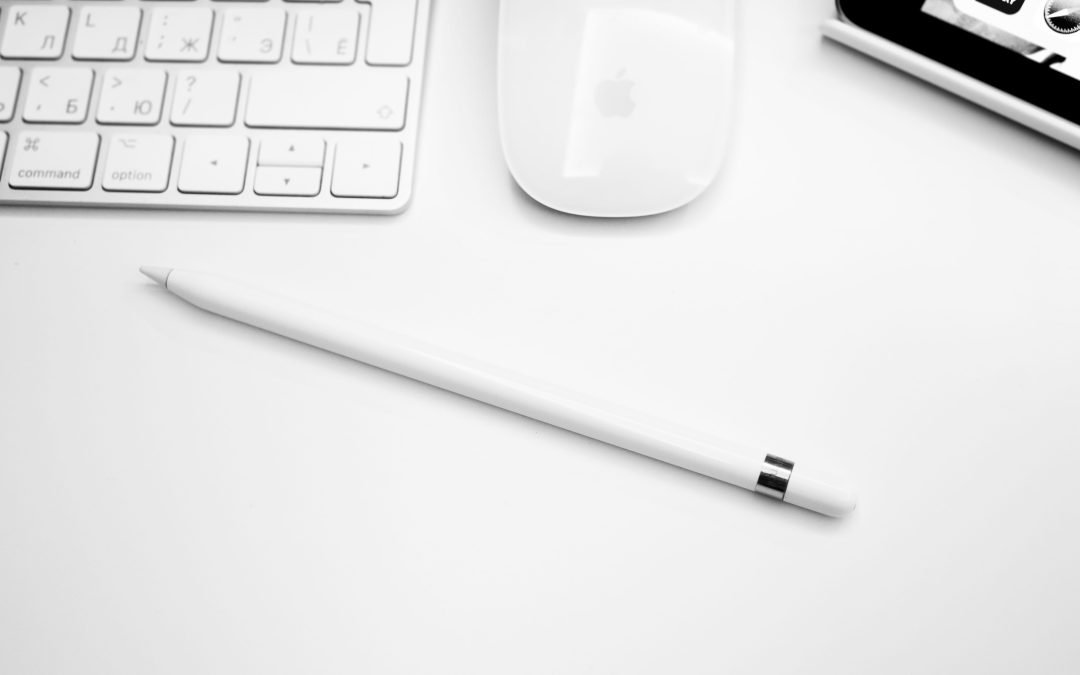
For anyone looking to elevate their digital experience on the 10th generation Apple Pencil, choosing the right stylus is less about picking the "best" and more about finding the perfect fit for your specific needs. The landscape of digital pens, including Apple's own lineup and a vibrant ecosystem of alternatives, has never been richer. But with so many options, how do you cut through the noise and figure out what truly makes sense for your iPad 10th Gen?
This isn't just about comparing Apple Pencil models and alternatives for iPad 10th Gen; it’s about empowering you to make an informed, confident decision that transforms your tablet into an even more powerful tool, whether you're sketching masterpieces, annotating documents, or just scribbling down a quick note.
At a Glance: Your Stylus Search for the iPad 10th Gen
- iPad 10th Gen Stylus Compatibility is Tricky: Your iPad 10th Gen only works with the Apple Pencil (1st Generation) (requiring a USB-C to Apple Pencil Adapter) and the Apple Pencil (USB-C). The Apple Pencil (2nd Generation) and Apple Pencil Pro are not compatible.
- Don't Dismiss Alternatives: Many non-Apple styluses offer excellent functionality, often at a fraction of the cost, providing features like palm rejection, tilt support, and even pressure sensitivity (in some cases).
- Know Your Needs: Artists and designers will prioritize pressure sensitivity and tilt, while note-takers might find palm rejection and good battery life more crucial.
- Budget Matters: Basic styluses can be dirt cheap, feature-rich alternatives land in the $50-$80 range, and Apple Pencils cost $79-$99 for the compatible models.
- Key Features to Look For: Palm rejection, tilt sensitivity, pressure sensitivity (if needed), charging method, battery life, and magnetic attachment for storage.
Why Your iPad 10th Gen Deserves a Stylus Sidekick
Your iPad 10th Gen is a versatile machine, but pairing it with the right stylus unlocks a whole new dimension of interaction. Imagine jotting down thoughts in your own handwriting, sketching out ideas with natural pen strokes, or precisely navigating complex apps. A quality stylus transforms your iPad from a finger-driven device into a precision tool, making everything from detailed digital art to quick annotations feel intuitive and seamless. It's not just an accessory; it's an extension of your creativity and productivity. For many users, it’s one of the essential iPad accessories that makes their tablet truly sing.
Navigating Apple's Own: The Pencil Lineup & iPad 10th Gen Compatibility
Apple's Pencil lineup has grown, but not all Pencils play nice with every iPad. For your iPad 10th Gen, this is particularly important to understand, as compatibility isn't as straightforward as you might hope.
Crucial Compatibility Note for iPad 10th Gen
Let's get this out of the way upfront:
- Your iPad 10th Gen is compatible with:
- Apple Pencil (USB-C)
- Apple Pencil (1st Generation) – BUT ONLY WITH A USB-C to Apple Pencil Adapter for pairing and charging. This adapter is often sold separately or included with new 1st Gen Pencils if specifically marked for USB-C iPads.
- Your iPad 10th Gen is NOT compatible with:
- Apple Pencil (2nd Generation)
- Apple Pencil Pro
This distinction is vital for avoiding disappointment (and an unnecessary return trip to the store).
Apple Pencil (USB-C): The Streamlined Choice for 10th Gen
Price: $79/£79
Best For: Note-taking, document annotation, casual sketching, basic productivity.
The Apple Pencil (USB-C) is the most recent (and most affordable) entry into Apple's stylus family, specifically designed for iPads with a USB-C port, including your iPad 10th Gen. It offers a solid, no-nonsense experience. You get low latency and tilt sensitivity, which is fantastic for shading and varying line thickness based on how you hold the pen.
Its design is sleek, slightly shorter than its siblings, and it attaches magnetically to the side of your iPad for storage (though it won't charge wirelessly on the 10th Gen). Charging is straightforward via a hidden USB-C port.
The Catch: It lacks pressure sensitivity. This means artists who rely on varying line weight by how hard they press will find it limiting. For handwriting and general use, however, it's an excellent, budget-friendly Apple-branded option that just works.
Apple Pencil (1st Generation): The Pressure-Sensitive Option (with adapter caveat)
Price: $99/£99
Best For: Artists, detailed sketchers, anyone needing pressure sensitivity, note-takers.
Originally designed for iPads with a Lightning port, the Apple Pencil (1st Generation) found a new life with USB-C iPads thanks to a small but crucial accessory: the USB-C to Apple Pencil Adapter. This adapter is required for your iPad 10th Gen to pair and charge the 1st Gen Pencil. It’s an extra step, but for many, it's worth it because this Pencil does offer pressure sensitivity in addition to tilt detection.
This makes it a far superior choice for serious artists who need to control line thickness and opacity with varied pressure. It feels responsive and natural, making it a powerful tool for illustration and detailed design work.
The Catch: The charging method is a bit clunky. You either plug the adapter directly into your iPad's USB-C port (and then the Pencil into the adapter), or use a USB-C cable with the adapter. You can't use the Pencil while it's charging this way. Also, it's round and lacks magnetic attachment for storage on the iPad 10th Gen, making it prone to rolling off.
Why Not the Others? (Briefly on Incompatibility)
- Apple Pencil (2nd Generation): This model features magnetic attachment and wireless charging, along with a flat edge for tap gestures. It's a fantastic stylus, offering pressure sensitivity and tilt. However, the iPad 10th Gen simply lacks the necessary internal hardware (like the inductive charging coil on the side) to support it.
- Apple Pencil Pro: The newest and most advanced Apple Pencil, boasting features like squeeze gestures, haptic feedback, a gyroscope for brush orientation, and Find My support. It's the ultimate tool for creative professionals. Unfortunately, it's compatible only with the very latest iPads (from May 2024 onwards) and thus won't work with your iPad 10th Gen.
Beyond Cupertino: Excellent Apple Pencil Alternatives
While Apple's Pencils are great, they're not your only choice. A thriving ecosystem of third-party styluses offers comparable, and sometimes even superior, features for the iPad 10th Gen, often at a more attractive price point. Many of these alternatives offer excellent palm rejection and tilt support, making them fantastic for general use and specific creative tasks.
Logitech Crayon (USB-C / Lightning): The Go-To All-Rounder
Price: Often under $70
Best For: Students, educators, general users, anyone needing a durable, reliable, and kid-friendly stylus.
Widely regarded as the best overall alternative, the Logitech Crayon is a standout. It offers nearly the same functionality as an Apple Pencil for most tasks but works with a broader range of iPads (all from 2018 or later, including your 10th Gen). Its unique "carpenter's pencil" design (sleek aluminum body, flat sides) makes it kid-friendly and resistant to rolling, which is surprisingly handy.
The Crayon provides excellent palm rejection and tilt support for dynamic line weight, making it great for note-taking, sketching, and marking up documents. The 2mm tip is accurate and responsive. The USB-C version charges easily and offers about 7.5 hours of use, with a quick 2-minute charge providing 30 minutes of power.
The Catch: Like the Apple Pencil (USB-C), it lacks pressure sensitivity, making it less ideal for professional graphic designers who need nuanced pressure control. For everyone else, it’s a brilliant, sturdy choice.
Adonit Note+ 2: For Features & Finesse
Price: Mid-range ($70-$80)
Best For: Users seeking pressure sensitivity (app-dependent) and programmable buttons without the Apple Pencil price tag.
The Adonit Note+ 2 is a versatile, slimline stylus crafted from aluminum, making it comfortable for extended use. It stands out by offering pressure sensitivity (though its effectiveness can be app-dependent) and angle detection, making it a strong contender for more creative pursuits.
A unique feature is its two programmable shortcut buttons, which you can customize for quick app commands like Undo/Redo – a huge productivity boost. It includes three replacement tips (soft, medium, hard) to suit your preference and has a flat side for a steady grip and magnetic attachment to compatible iPads (including the 10th Gen for storage, but not charging). Battery life is a solid 8 hours from a 1-hour USB-C charge.
The Catch: While it offers pressure sensitivity, its performance might not be as seamless across all apps as an Apple Pencil.
Zagg Pro Stylus & Pro Stylus 2: Dual-Tip Versatility
Price: Mid-to-High range ($70-$100)
Best For: Productivity users, presenters, those who appreciate magnetic attachment and dual functionality.
Zagg's Pro Stylus line offers a compelling premium alternative, especially with its dual-tip design. One end features an active tip for precise drawing, writing, and sketching, while the other provides a universal capacitive touch tip for simple scrolling, swiping, or navigating your iPad without switching tools.
- Zagg Pro Stylus: Pairs with any iPad 2017 or newer, including the 10th Gen. It attaches magnetically to iPad Pro models (for storage), and charges via USB-C in under 1.5 hours.
- Zagg Pro Stylus 2: An upgraded version adding wireless charging (on compatible iPads like Air/Pro, not 10th Gen), replaceable tips, and magnetic attachment for storage. It boasts a matt coating, about 6.5 hours of battery life, and an auto-off feature after 15 minutes of inactivity.
Both versions offer excellent palm rejection and tilt support but lack pressure sensitivity. The Stylus 2 reportedly has noticeable delays in apps like Adobe Photoshop, so artists should be wary. For general note-taking and productivity, however, they are excellent choices.
Baseus Smooth Writing PS4 360°: Smart & Feature-Rich
Price: Affordable ($30-$50)
Best For: Note-takers, students, and users looking for a feature-packed stylus at a budget price.
This stylus is a fantastic option for note-taking and casual sketching, supporting both tilt and pressure sensitivity in compatible apps (like Apple Notes and Freeform). It's designed for ease of use, offering simple pairing, auto-standby to save power, and a convenient clicker button that controls power and can advance slides during presentations.
LED indicators keep you informed about battery life, and a clever hardware clip hides the USB-C charging port. It also features a built-in magnet for easy attachment to your iPad 10th Gen for storage. It comes with an extra tip and a USB-C charging cable, adding to its value proposition. This is a great example of how alternatives can revolutionize your note-taking experience without breaking the bank.
Adonit Star: Elegant Simplicity for Notes
Price: Affordable ($30-$50)
Best For: Dedicated note-takers and writers who value comfort and excellent palm rejection above all else.
The Adonit Star is a unique and classy stylus primarily designed for note-taking and writing. It focuses on providing a balanced, comfortable writing experience with excellent palm cancellation, ensuring your hand resting on the screen doesn't interfere with your writing.
It offers easy pairing and a good 10 hours of battery life from a 1-hour USB-C charge (via a hidden port).
The Catch: It lacks pressure sensitivity and tilt support, making it less suitable for artistic endeavors. However, if your primary goal is clean, comfortable writing, the Adonit Star shines.
Adonit Mark: The Ultra-Budget Pick
Price: Dirt-cheap (often under $15)
Best For: Budget-conscious users, casual navigation, basic tapping, and scrolling.
If your budget is extremely tight, the Adonit Mark is your go-to. This is a super-simple, all-purpose passive stylus compatible with virtually any touchscreen device, including your iPad 10th Gen. Its anodized aluminum body has a comfortable, triangular shape that prevents it from rolling off surfaces.
The Catch: It’s a very basic stylus. It offers no palm rejection, no pressure sensitivity, no tilt, and significantly less precision than active styluses. It's best suited for casual tapping, scrolling, and very basic note-taking where precision isn't paramount. Think of it as an improved finger, not a digital pen.
Baseus Smooth Writing 3 Stylus: Basic & Affordable (if you can find it)
Price: Under £30 (no US distribution)
Best For: Basic doodling, quick notes, very casual use, if available in your region.
This is presented as one of the cheapest Apple Pencil alternatives, though its distribution seems limited to the UK/Europe. It's a lightweight plastic stylus with magnetic attachment for storage (on compatible iPads), a hidden USB-C port for charging, a power button, and battery indicator lights.
It offers reliable responsiveness and good palm cancellation. Its power button can even trigger 32 quick commands via the Baseus app.
The Catch: It lacks tilt and pressure sensitivity, making it unsuitable for art or nuanced drawing. It’s primarily for basic writing and doodling. Claims an impressive 17 hours of battery life from a 30-minute USB-C charge.
No-Frills Styluses: When Basic is Best
For those who just need a simple tool for basic navigation, tapping, and perhaps very rough sketches, passive styluses (no Bluetooth, no charging, no advanced features) are an incredibly affordable option. They essentially mimic your finger.
- Bargains Depot B&D 2-in-1 Stylus: Under $10, aluminum body, dual-tipped (rubber and fiber), comes with 20 extra rubber tips. Works with all iPads and touchscreens.
- Meko Capacitive Stylus Pen: Dual-tip design, broad compatibility for basic navigation and interaction.
These are great for kids, shared devices, or if you simply need a stylus for occasional, non-precision tasks.
Decoding Your Decision: Key Factors for Choosing Your iPad 10th Gen Stylus
With so many choices, how do you narrow it down for your specific iPad 10th Gen? Focus on these critical considerations.
Non-Negotiable: iPad 10th Gen Compatibility
We've covered this, but it bears repeating: verify compatibility! Your iPad 10th Gen works with Apple Pencil (1st Gen via adapter) and Apple Pencil (USB-C). Most third-party styluses that work with "iPad 2018 or later" will likely work with yours, but always double-check the product description. Don't assume.
Your Budget & the Value Proposition
Styluses range from under $10 to over $100. Define your budget, then see what features are available within that range. Often, a mid-range alternative can provide 90% of the features of a premium Apple Pencil for significantly less cost. Are you willing to pay a premium for the Apple brand, or is pure functionality your priority?
Essential Features: Pressure Sensitivity, Tilt, Palm Rejection
- Pressure Sensitivity: Absolutely crucial for artists and illustrators. It allows you to vary line thickness and opacity based on how hard you press. If you plan on getting started with digital art or serious drawing, this is a must-have.
- Tilt Support: Great for shading and varying line weight by angling the stylus, mimicking a real pencil. Many styluses offer this.
- Palm Rejection: Essential for comfortable use. This feature allows you to rest your hand on the iPad screen while writing or drawing without the screen registering your palm as an input. Nearly all good active styluses have this.
Grip, Comfort, and Design
You'll be holding this stylus for extended periods, so comfort is key. Consider:
- Weight: Lighter styluses are good for long sessions.
- Shape: Round, triangular, or flat-sided? The Logitech Crayon's flat sides are excellent for grip and preventing rolls.
- Material: Aluminum, plastic, or a soft-touch finish?
- Length: Some styluses are quite long (like the Zagg Pro), while others are more compact.
Charging Methods & Battery Endurance
How long does it last, and how do you charge it?
- Wireless/Magnetic: Super convenient, but not all styluses (or iPads, like the 10th Gen) support it.
- USB-C: Common for alternatives and the Apple Pencil (USB-C). Fast and universal.
- Lightning (via adapter for 1st Gen): Functional but less elegant.
Also, check for quick-charge features or auto-off functions that save battery. Can you use the stylus while it's charging? (The 1st Gen Apple Pencil usually cannot with the adapter).
Seamless Storage: Magnetic vs. Portable
Do you want the stylus to magnetically attach to your iPad for convenience (storage only for 10th Gen, not charging), or are you fine with tucking it into a bag or case? Magnetic attachment is a huge plus for portability and preventing loss.
App Performance & Workflow Integration
For creative work, especially, ensure your chosen stylus performs well with your preferred apps (e.g., Procreate, GoodNotes, Notability). Check reviews for latency or compatibility issues. Programmable buttons, like those on the Adonit Note+ 2, can boost your productivity within specific applications.
Longevity & Replaceable Tips
Styli tips wear down over time. Check if replacement tips are readily available and affordable for your chosen model. This can significantly extend the life of your investment.
FAQs: Clearing Up Stylus Confusion for the iPad 10th Gen
"Can I use any Apple Pencil with my iPad 10th Gen?"
Absolutely not! As detailed earlier, your iPad 10th Gen is compatible only with the Apple Pencil (1st Generation) (via USB-C adapter) and the Apple Pencil (USB-C). The newer Apple Pencil (2nd Generation) and Apple Pencil Pro are not supported due to hardware differences. Don't fall for the marketing hype if it's not specific to your model.
"Is pressure sensitivity really necessary?"
It depends entirely on what you want to do.
- YES, for artists, illustrators, and graphic designers. Pressure sensitivity is how you control the nuances of line thickness, shading, and opacity, mimicking traditional art tools. Without it, digital art feels flat.
- NO, for note-takers, annotators, and casual users. For these tasks, features like palm rejection, tilt, and low latency are more important than pressure sensitivity. You can still write beautifully without it.
"What's 'palm rejection' and why do I need it?"
Palm rejection is the technology that allows you to comfortably rest your hand on your iPad screen while writing or drawing with a stylus, without the screen registering your palm as an input. Without it, every time your hand touches the screen, it would create unwanted marks or gestures, making natural use impossible. It's a fundamental feature for any serious stylus user.
"Are cheaper alternatives truly as good as an Apple Pencil?"
For many users, yes! Alternatives like the Logitech Crayon or Adonit Note+ 2 offer comparable core features (palm rejection, tilt, low latency) and sometimes even unique advantages (programmable buttons, USB-C charging for the Crayon) at a significantly lower price. Where they often differ is in pressure sensitivity (many alternatives lack it) and the "seamlessness" of the Apple ecosystem integration. If you don't need pressure sensitivity, an alternative can provide exceptional value.
"Where can I find [specific alternative]?"
Most popular alternatives like the Logitech Crayon and Zagg Pro Stylus are widely available on Amazon, at major electronics retailers (Best Buy, Walmart, Target), and directly from the manufacturer's website. Lesser-known brands like Adonit or Baseus might be primarily found online through Amazon or their own direct-to-consumer channels. Always check reviews and return policies.
The Final Stroke: Finding Your Perfect iPad 10th Gen Stylus
Choosing the right stylus for your iPad 10th Gen boils down to understanding your primary use case and balancing that with budget and feature compatibility.
- For the Dedicated Artist: The Apple Pencil (1st Generation) remains the best compatible Apple option for its full pressure sensitivity, despite the adapter-based charging. The Adonit Note+ 2 is a strong third-party contender that also offers pressure sensitivity (app-dependent) and handy shortcut buttons.
- For the Student, Note-Taker, or Casual Sketcher: The Apple Pencil (USB-C) offers the most streamlined Apple experience with tilt support and magnetic storage. The Logitech Crayon (USB-C) is an equally excellent, durable, and highly recommended alternative, also featuring tilt and superb palm rejection. The Baseus Smooth Writing PS4 360° is a fantastic budget-friendly option with tilt and some pressure sensitivity.
- For Productivity & Versatility: Consider the Zagg Pro Stylus (or Stylus 2) for its dual-tip functionality and magnetic attachment for storage.
- For the Ultra-Budget Conscious: The Adonit Mark or a basic capacitive stylus will suffice for general screen navigation and light interaction.
Whichever you choose, adding a quality stylus to your iPad 10th Gen will undoubtedly enhance your experience, making it more intuitive, precise, and powerful. Take the time to consider your needs, weigh the features, and you'll find the perfect digital pen to unlock your iPad's full potential.